


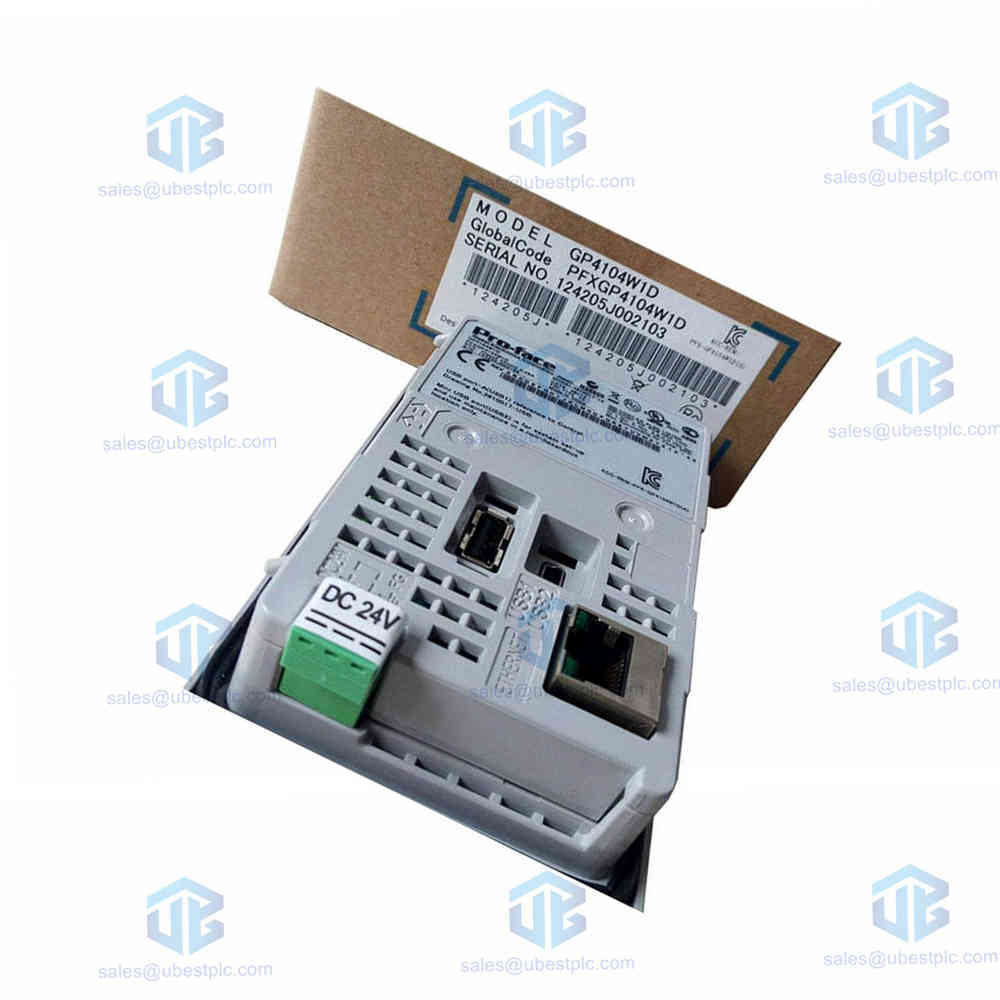
Proface GP4100 GP4104W1D HMI Display Panel Pricing
Manufacturer:
More Brands
Product No.:
GP4104W1D
Condition:
In Stock
Product Type:
Touchscreen HMI
Product Origin:
JP
Weight:
2500g
Shipping port:
Xiamen
Warranty:
12 months
UBEST – Trusted Global Automation Parts Supplier
We offer a wide range of in-stock industrial automation spare parts. All products come with a 12-month warranty and a 30-day refund for quality issues.
Pro-Face GP4100 Series GP4104W1D Monochrome HMI
Product Summary
- Engineers select the Pro-Face GP4104W1D monochrome HMI for efficient industrial control panels.
- This compact GP4100 series display delivers clear text and supports flexible multi-language software environments.
- Request a quote today to secure fast global delivery for your facility upgrade projects.
Core Technical Specifications and Parameters
- Manufacturer: Pro-Face
- Series: GP4100
- Model Number: GP4104W1D
- Screen Size: 3.4-inch diagonal display
- Resolution: 200 x 80 dots for sharp text rendering
- Display Type: STN monochrome technology
- Display Color: Selectable white, pink, or red backlighting
- Input Voltage: DC 24V nominal power supply
- Communication Interface: Built-in Ethernet port for network connectivity
- Software Compatibility: Programmed using GP-Pro EX software
- Operating Temperature Range: 0 to 50 degrees Celsius for standard factory floors
- Storage Temperature Range: -20 to 60 degrees Celsius
- Vibration Resistance: Conforms to IEC 61131-2 standards for high vibration tolerance
- Electromagnetic Immunity: Complies with EN61000-6-2 and EN61000-6-4 EMC directives
Product Features and Key Selling Points
- High-resolution 3.4-inch screen displays small-character text clearly without visual distortion.
- USB flash drive support allows quick data transfers and simple program updates.
- Direct USB cable connection lets technicians edit PLC ladder logic without panel removal.
- Multi-language support includes English, Japanese, Korean, and Chinese character sets.
Installation Guide and Setup Instructions
- Cut the control panel opening carefully according to the official dimension drawings.
- Insert the HMI unit securely and tighten the mounting clips evenly from behind.
- Connect the DC 24V power wires to the terminal block while checking correct polarity.
- Plug in the Ethernet cable and launch the configuration software to start programming.
Package Contents and Shipping Information
- Package Unit: One GP4104W1D operator interface terminal per box
- Included Hardware: Mounting bracket fasteners and DC power connector plugs
- Shipping Methods: Rapid worldwide delivery via FedEx, UPS, and DHL courier services
Warranty and Support Terms
- Warranty Coverage: Backed by a standard 12-month quality assurance warranty
- Technical Support: Expert engineering assistance available for all automation hardware
Frequently Asked Questions
- What software programs the GP4104W1D HMI unit? Technicians use GP-Pro EX software to create and edit display projects.
- Can you connect this screen directly to a PC? You connect a USB extension cable to edit PLC ladder programs without removing the panel.
- What colors does the STN display support? The monochrome screen supports white, pink, or red background lighting options.
- Is the unit safe for hazardous locations? The hardware holds UL and c-UL listings for Class I, Division 2 hazardous areas.
- Which shipping couriers deliver this product? Orders ship rapidly worldwide using FedEx, UPS, and DHL services.
© 2026 Ubest Automation Limited. https://www.ubestplc.com/ All rights reserved.
Contact: Email sales@ubestplc.com Phone +86 180 3000 5825